Audiobooks Course – Learning to Narrate, Edit, & Launch an Audiobook
Course Curriculum: "Audiobooks Unlocked"
I recently finished recording my two audiobooks. One was a short store entitled Writer's Block, which was easy and went about as smoothly as it could have gone for a complete newbie!
Next, I took on the narration of my first full-length novel, Murder in the Sanctuary. I'm an asthmatic and the hardest part of doing the long novel was my breathing. It is exhausting for me to talk a long time, especially when I can't flub a word here or there! However, if I did not have breathing issues, it would have been just as easy as the short story.
I worked back and forth with Google Gemini, as well as watching videos on YouTube about mastering the Audacity software, and I took notes the entire time. I have organized those notes, curricularized them, and am writing this course to help those who would like to do their own narration.
PLEASANT SURPRISE: One pleasant surprise I learned was that when you need to read every word without flubbing, you catch all the mistakes. Even when my books are edited by a wonderful editor, small typos and name swaps, etc. can get through. But when you need to narrate it and listen back as you edit, those errors are all caught.
So as a writer, I envision doing the audiobook right before I publish any book so that I know I have combed the book in the best way to check for every last error.
THE GOAL OF THIS COURSE
I hope to guide all self-published authors step-by-step, through setting up, recording, editing, mastering, and publishing a professional audiobook using free software (Audacity) and home recording techniques.
There is a learning curve to learning how to use Audacity, but this course will focus specifically on everything you need to know to conquer any confusion in the process.
Module 1: Planning & ACX Technical Standards
Before pressing record, authors must understand the rules of the road for retail platforms. All of the Audiobooks will need to pass muster on ACX.com. So from the moment you set up your recording area, you are arranging things to pass ACX standards, rules and regulations.
Lesson 1.1: The Audiobook Anatomy & File Requirements
Individual file size limits: Under 120 minutes per file and under 170 MB.
When recording in Audacity, the audio will be saved as a 'project'. This will save it as a .aup3 file. This is the raw audio that is saved as a file that only Audacity recognizes. ACX requires .mp3 uploads. So the pathway is to save the project as an .aup3 file when you are working on it in audacity. When it is edited and finished, you will need to export it as an .mp3 file.
NOTES FROM MY WORKFLOW: Once I opened audacity, I recorded the chapter and saved it in a folder entitled BOOK-TITLE-Audacity-raw-files. I used the same naming standards as are required on ACX. For example: Intro, Chapter1, Chapter2, etc., Outro.
Once I edited the audio file, I tested it with a plugin to see if it would pass with ACX. Then I exported the final audio into a new folder entitled "BOOK TITLE-Final-Files. These files are exported in the .mp3 format which is a requirement on ACX.com.
Required Track Sequencing:
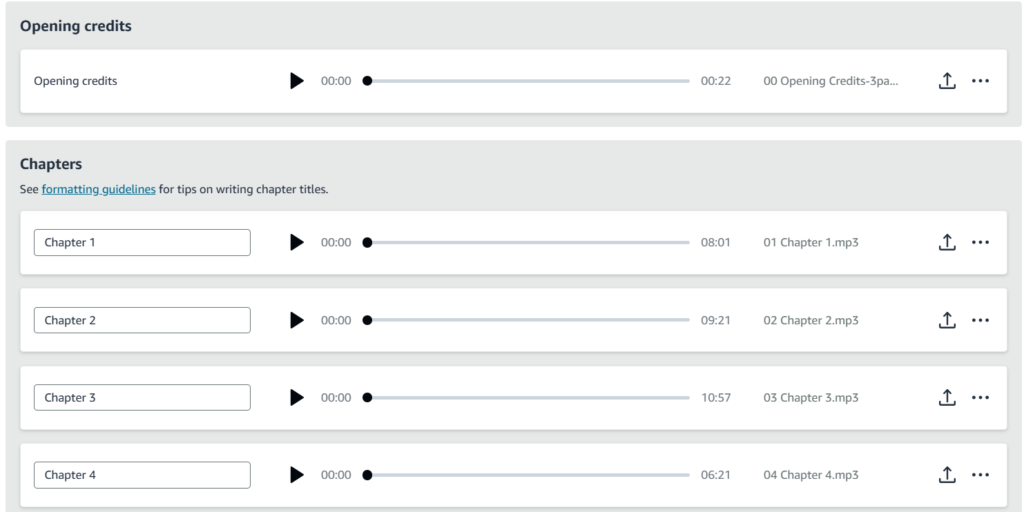
Opening Credits: Title, Author, Narrator.
Front Matter (Optional): Introduction, Prologue, or Dedication.
Body Chapters: Each chapter uploaded as a separate MP3 file.
Back Matter (Optional): Epilogue or Author's Note.
Retail Sample: A 5-minute standalone snippet for potential buyers.
Lesson 1.2: Crafting Your Audio Scripts
Opening Credits Script: Using my short story as an example, an opening credit script sounds like this: "Writer's Block, written by [Author Name], narrated by [Narrator Name]."
Closing Credits Script:"This has been Writer's Block, written by [Author Name], narrated by [Narrator Name]. Copyright [Year] by [Author], Production copyright [Year] by [Publisher/Author]. All rights reserved."
Chapters: At the beginning of each chapter, you will enumerate what chapter it is. For example: Chapter 1, leave a few seconds, and then begin to narrate the chapter. Only allow up to 3 seconds of silence before you state the chapter number. At the end of the chapter, only leave about 5 to 8 seconds of silence.
Outro Calls-to-Action: Directing listeners to your author website.
John Walsh is a successful funeral director with a loving family but he has a weakness for other women. The modern world thinks cheating is a victimless crime, but is it?
PI Ryan Mallardi is crazy about the beautiful and statuesque Angelica. Colleen Kessler is married for nine months but something doesn't feel right.
Will PI Mallardi find out what is really going on in her life? Will this truth
change Colleen's life or both of their lives? Some journeys are painful but well worth the effort.

 I recently finished recording my two audiobooks. One was a short store entitled Writer's Block, which was easy and went about as smoothly as it could have gone for a complete newbie!
 PLEASANT SURPRISE: One pleasant surprise I learned was that when you need to read every word without flubbing, you catch all the mistakes. Even when my books are edited by a wonderful editor, small typos and name swaps, etc. can get through. But when you need to narrate it and listen back as you edit, those errors are all caught.
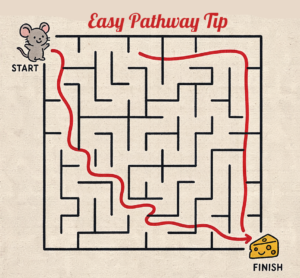 When recording in Audacity, the audio will be saved as a 'project'. This will save it as a .aup3 file. This is the raw audio that is saved as a file that only Audacity recognizes. ACX requires .mp3 uploads. So the pathway is to save the project as an .aup3 file when you are working on it in audacity. When it is edited and finished, you will need to export it as an .mp3 file.