THINKING ABOUT A CAMPERVAN LIFE:
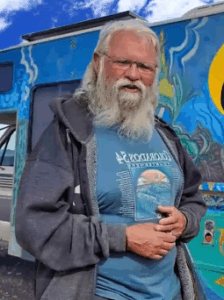 I had found videos on YouTube about five years ago about van life, people living in vans. The channel that YouTube served up into my recommendations was CheapRVLiving featuring Bob Wells, who is the leader of the pack, so to speak.
He started his channel and has hosted so many other van dwellers, every one of which was more fascinating than the other.
My first interest was pure fascination. How can a person live in a van? Or why would a person live in a van? After only a few videos, I became obsessed by the van dwellers and started to think I would like this lifestyle. It was always presented as a lifestyle as so many people were living in vans full time, as Bob does, for financial reasons.
THE EXPERT SOLAR GUY:
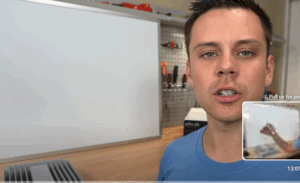 There was a young twenty-something guy, Will Prouse, who has a channel called DIY Solar Panels with Will Prouse. who lived out in California where housing was so expensive and he did diary entries about living in a RV at first, but then he moved into different types of vehicles.
He became an absolute expert at hooking up solar panels and creating converting systems. I used to watch him a lot because he lived right in the city at the time, and he shared a lot of crazy stories about street people he came into contact with. He was a world of information.
SCARYING MYSELF WOULD MAKE ME TURN BACK:
As I thought about doing this, I would at times scare myself out of it. I would see how much strength you would need to build out these vans and often they were men building them — young men. I’m retired and close to 70 years old. There’s no way I have the strength of a young man. I never had the strength of a young man, even when I was 20-something myself — but I have even less so now.
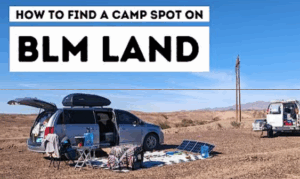
Another way I used to scare myself was to see these young girls who had build out vans and were staying free on BLM land, which stands for Bureau of Land Management. The translation is land owned by the government that anyone can stay on for free. HOWEVER, often, these lands are in areas that are far removed from suburbs and even local towns.
I would see these girls camped out next to their vans or minivans — some even in sedans — in an area that seemed so desolate. I must confess, I would be too scared to do something like this. Growing up in a suburb of New York City, and living in the same type of ‘first ring of suburbs’ outside other cities, I’m not comfortable too far outside this area. I’m always afraid of getting a flat tire on any dirt road I have to travel on, even short ones. So driving for miles into these BLM lands? For me, this is out of the question.
The other thing that I would allow to scare me was the constant moving around and driving that many van dwellers seem to do. Because they choose to live in their vans, they’re always on the move. Aside from a few days at a campsite here and there, they seem to always be on the go. This used to scare me too until I realized that they had completely different goals for traveling in this fashion than I did.
For example: The young singles who choose to live in a van to help them pay off their school debt and/or save for a real house or condo, I think these people are brave and brilliant. I could see myself as having done something like this too. I used to live in New Jersey, right outside NYC and the houses that our parents purchased in the 1940s and 1950s for under $15,000 were selling for $250,000 and more. And this was happening in 1988! So any dream of owning property in that area made me move to south Florida where houses were still affordable.
FIGURING OUT WHY I WANTED TO CONVERT A CAMPERVAN:
 When I realized that everyone had different goals for traveling, it made me realize that I was interested in a campervan to be a temporary and occasional traveler. I could travel to see family without flying — which I hate now. I don’t like flying because the pace of it is too much for me at my age. The bustle at airports like Miami and NYC, are just too much.
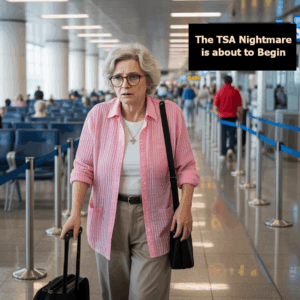 My last experience going through security with the TSA agents was also a nightmare. I had to find the tram that brought you to the gates, manage and lug around my suitcase and large purse,keep my IDs handy to flip out on command, figure out how to get the boarding pass from a kiosk, keep my tablet and laptop separate and ready to put into their own tubs, and then take off my shoes during this process, only to have to put my hands up and spin around in the x-ray machine, I was a nervous wreck by the time I got through it. I know I’m done with flying except for emergencies, and I now think of driving a campervan at my own pace as much easier.
I had to find my own reasons for wanting a campervan: I want to visit family without the stress of flying, driving at my own pace, and enjoying the journey.
The second motivation I found for traveling this way was having seen conferences that I would have loved to go to, but adding the expense of a flight and hotels and car rentals on top of the conference fee, it was too much and I would opt not to go. But if I can plan to take 3 days to get there, I can go to many of these conferences for less than half of the expense.
BEING ABLE TO CONTINUE WRITING:
 The other motivation that I found about traveling in a campervan is that I can still write as an author during my rest periods. For example: Traveling four to 6 hours a day is about as much as I can take of pure driving. So if I can find a campground that I can stay in for the afternoon and evening, I can write either in my campervan or I can even go to a local library and write in AC or heating comfort before settling in to go to sleep at the campgrounds.
SEE MORE FAMILY AND EVEN OLD FRIENDS:
By traveling with my own sleeping arrangements, I can also visit old friends that I haven’t seen in years. If you visit someone on a plane, you’ve made your decision who you will visit. If the other people you would love to see live more than an hour away, it’s hard to get to see them on the same trip.
Once I find my own motivations for why I wanted to travel this way, I was able to watch the videos of people camping on BLM land and not allow it to scare me out of the idea. I was able to watch for their travel tips.
I’ve just begun planning to become a part time minivan dweller and want to document the process. I’m not an expert for sure. I’ve learned everything from the people who have done this already. However, I haven’t seen any videos on the thinking, planning and execution stages of making this happen. That’s what I want to focus on. I hope you’ll join me by subscribing to my channel and I’ll see you in the next video.


 Click here to download the entire series for free -- for a limited time!




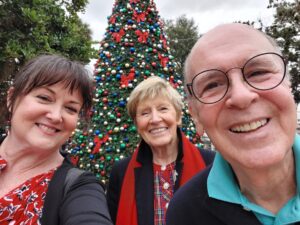
 The hospice he was in was beautiful, clean, and everyone who worked there was wonderful. We found it through Marion County Services, E.W. & Lucille Cates House, and it was wonderful. The people who worked in the hospice system were all compassionate people who had been called to this type of work -- which is not easy. I am eternally grateful to them for how lovingly they took care of Michael in his last weeks.
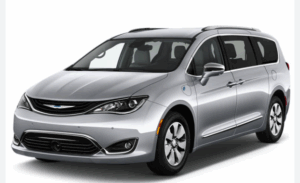 As an author I am plugging along, but things are still slow and I'm still quite distracted by the grief and losses. Losing my two family members, one to death and one to Hollywood, Florida, led me to buying a minivan to build out as a camper van. I am intending to become a part time campervan traveler. This way, I can visit my other family members who reside in different places all up and down the east coast.