BLOG – Page 5 – Read First Chapter.com

BLOG

A New Adventure Begins – Posting Book Ads on YouTube

Views & Descriptions

I had been running Amazon ads for several years now, and I have gotten a steady stream of one or two "sales" a day.  However, when the books are in Kindle Select, the profit is very complicated.  Recently, I decided to put the Amazon ads on hold and try to promote my book videos to see if they could lead to a little better showing.

I wasn't ready for what happened!  The response to a promoting a few videos with a few dollars each, took me from  406 subscribers to over 6,000 in less than three weeks.  The view numbers went through the roof as well.  So it's goodbye Amazon Ads and Hello YouTube Ads -- at least for now.

LET ME SET THE TABLE FOR YOU:
I wanted to start making short videos in PowerPoint for my books.  I was told over and over that in social media, you need to be on camera, but I'm camera shy, introverted, and the thought of jumping around on social media like I see some of these younger authors do, was out of the question.  This advice kept me from venturing out into the short videos on YouTube and Tiktok for a long time.

I went ahead with my faceless book promotional shorts and I'm happy to report that I received a response I wasn't even ready for.  However, this huge response happened because I also promoted one or two of these videos.  I promoted the first one for views and put maybe $10 on it.  The third or fourth video I did, I changed the purpose of the promotion to subscribers.  Again, I was very impressed with how much interaction I received.

In order to monetize on YouTube, you need at least 3,000 subscribers and I believe 3 hours of content -- I'm going by memory here, so don't quote me on this.  Monetizing on YouTube was really never a specific goal as I'm retired and I don't think it's going to change my life at all.  However, it is nice to at least get the feedback of the views, the new subscribers, and likes.

So the first change I made was in creating these short videos, each one targeting a specific book, and mentioning the series name at the end of the video.  I'll post two of the short videos below so you can see what I'm talking about.

THREE KINDS OF PROMOTIONS:
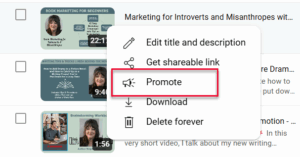
After you upload a video to YouTube, and click on the "content" tab on the menu on the left side, a list of your videos will pop up.

On the right side, there are three or four dots indicating a drop-down menu.  When you click on that, a few choices will come up, one of which is PromoteThis is where I started with my first promotion, right on the dashboard at YouTube.

THREE PROMOTION TYPE CHOICES:


Once you get inside the choices, you need to first choose what type of promotion you would like to run, which is another way of asking you what your goal is or what you want to accomplish.  Your goal will fit under one of three choices as I explain below.

  1.  You can promote to get more views on your video.  I tried this one and it exceeded my expectations.  Bear in mind that this is all based on how many views I would get organically.  So there was a huge difference.
  2. The second type of promotion is for subscribers.  I also promoted videos to get more subscribers.  I had the same experience.  My subscriptions grew from 406 to over 6500 within two or three weeks.  Again, I was astounded -- mainly because I'm only talking about $50.00 a month or thereabouts combined on all of these promotions.  And these changes occurred before the ad campaign ate up the money.  There is still money on a few of the videos.
  3. The third choice of selection is for "Website Visits" sometimes known as leads.  This is the choice for someone who wants to sell something on a website.  I set off to try this one, but noticed that you could only drive the traffic to your website.  This is where it got a little tricky for me because I wanted to send the clickers to one specific book on Amazon -- not to my website.

RESEARCH - RESEARCH - AND MORE RESEARCH!
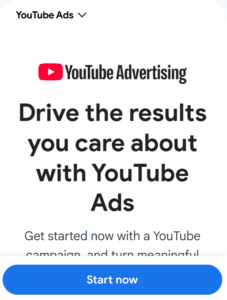
I searched for a YouTube Video that would explain how to set up a book marketing ad, but only got generic book marketing ads that had nothing to do with promoting an Amazon book on YouTube.  I tried different keywords:  Promoting a book link on Youtube, YouTube Lead Promotions, and on and on.  I found nothing helpful.

Somewhere between researching on YouTube and on Google Ads, I came upon a small link that said something like "get more control" and I chose that one.  This is where I found the next right pathway in setting up the type of ads I had in mind.

I'm posting the link here for you -- and for me, if any time lapses and I can't remember my exact route through the maze of choices at YouTube.  https://business.google.com/us/ad-solutions/youtube-ads/

HOW I SAVED $40 AT YOUTUBE THE FIRST DAY
The last link takes you to a place where you will be invited to log into your google account.  Once inside, there are hundreds of choices. Earlier in my research, I found a link where for $39.99, you could set up a consultation call with a Google Ads expert and they would help you.  I fully intended to pay for this service because I knew ,based on how complicated the Google Ads Dashboard was and how many choices there were -- may of which are hidden in the drop-down lists, I thought it would be well worth it to get advice from an expert.   The $40 conferences are for 30 minutes.

Before I set up the paid-conference I decided to first gather my thoughts and make a list of questions so I was prepared for the conference.  I went to Google Ads and clicked on New Campaign to see what type of information I would need to post an ad, like the book cover, links, headlines, etc.  To my astonishment, I saw a link to consult with a Google Ads manager FOR FREE!

I clicked the link and set up a conference.  He walked me through my first ad campaign, which at the time of this writing is called Demand Gen.  This allows you to sell something and target another link besides a website.   At the end of the zoom call and screen sharing, I had one ad featuring 5 different short videos on my books.

MY FIRST AD TWEAK:

This google consultant has been assigned to me now and we have scheduled a follow-up zoom call and screen share in two weeks.  They usually set the follow-up for one month, but when I told the consultant I wanted to specifically target the headlines to one specific book, that's when he said, let's go broad, see what happens for two weeks and then we can take it from there.  I agreed because I knew I wasn't ready to go forward with focusing on one book.  I needed to make additional short videos, beef up my long and short headlines that I will explain below.  So I just went for it.
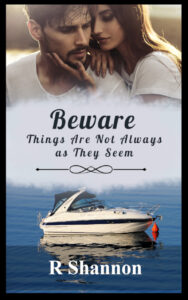
Beware-new-cover-72dpiFor the next two weeks when this ad runs, I will make sure I have the following elements for my book entitled Beware - Things Are Not Always as They Seem:

  1. Five different shorts targeting the Beware book.
  2. Five different short Headlines that are 40 characters or less
  3. Five different longer Headlines that are 90 characters or less.
  4. Five different book descriptions that are 90 characters or less.

This way, I will be ready to either tweak the first ad or cancel the first ad and do a more specific ad campaign targeting the second book in this series.  Either way, I feel hopeful and am excited to see what happens.

WHY THE SECOND BOOK?
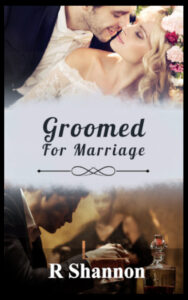
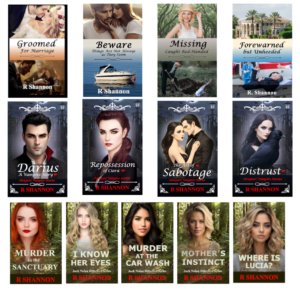
groomed-for-marriageSome of you may wonder why I would target a second book in a book series.  My first book, Groomed for Marriage, is permafree on Amazon, which was done through a program they call price-matching.  By giving away Book 1, I get new readers who have nothing to lose to try my book and often, they read through the series.

In all honesty, I think of giving Book 1 away for free as a marketing approach.  This free book is casting a broad net to hopefully capture new readers.  If they like my first book, they will read through the others too.

By offering Book 2, people will have to purchase the book or they will download it as a Kindle Unlimited selection.  Either way, this book will be more profitable than a permafree book that is outside of Kindle Select.

PHASE ONE IS NOW COMPLETED:

My ad is up.  I had to work with the consultant and go with this broad campaign, but it's okay.  From this broad campaign, I will learn more about the ads themselves and see what kind of response I get with this type of ad.

I also have enough to do over the next two weeks to prepare for my second ad that I want to try, which I went over earlier.

I hope this helps any newbies who are interested in advertising their books on YouTube.  I'll do a follow-up blog post on this and I'm sure I will have more to report.

Check out the two short videos I made in PowerPoint below.  I chose music from the Youtube Audio Library.


New Post Draft

JOINT MARKETING IDEA #1

Is anyone interested in putting their books into a "Hidden Treasures" Marketing Poster like the ones I have below?  I made mine with just books from the best sellers lists.

We can all post this on our social media with the list of links that go directly to the book for download or sale.   By all posting to different audiences, maybe we can increase our marketing reach.  I will need at least 6 to 8 participants to make it work.   If there are more, we'll figure out how to make it work.

If you are interested, I will need a link to the book where I can save the cover image.  If you are interested, please send me an email as follows:

To:  rshannon@readfirstchapter.com
Subject Line:  Interest in Participating in Hidden Treasure Posters
Book Title:  Name of the Book
Attach a book cover if you have a small one, meaning 72dpi for the web, or a link so I go to the book and create a small photo of it.  (Amazon or similar):
Purchase or Download Link:  Link you want the potential readers to go to purchase or download the book:

I have a row of poster examples so you can see what I mean.

JOINT MARKETING IDEA #2

Is anyone interested in putting their books onto a page together on my website.  It doesn't have to be my website, but I would volunteer to upload the book covers and links.  We can coordinate one day every two weeks to post about the books and come up with another title similar to "Hidden Treasures" or "Christian Fiction" or "Catholic Fiction" -- I'm open to whatever will title fit for everyone's books.

I will post a row of examples below so you can see what I envision the shared webpage will look like.  Each panel will open to a larger panel 1000px by 1000px (social media size) and that panel will contain a link to purchase or download the book.

If you are interested, I will need a book panel (see below for three examples) in the following size:  The panel itself is 1000px by 1000px.  The Book cover is on one side, preferably on the left, with the Headlines & Titles similar to what I have in the examples.

Now, if you are a member of CWG and you don't have the graphic skills to create this artwork, it's okay.  Just send me an email with a link to a "flat" cover (No 3d covers), include the Titles, headlines to be in bold and a short synopsis of the book.  I will do it for you.

To:  rshannon@readfirstchapter.com
Subject Line:  Interest in  Shared Web Page - Art panel attached
Book Title:  Name of the Book and author name
Headline for the Book:  This is one sentence that will be bolded
Short Synopsis and Link:  Include the synopsis so I can easily print out the emails and have all of the information on one page.   
Book Link:  Where you want the book link to go.

I have a row of images that will fill the web page below.

JOINT MARKETING IDEA #3

I have recently started to run YouTube ads on my YouTube Channel.  The response has been the best ROI I ever had.  Now, my goal on some ads was to get more views, and on some ads, I selected the goal of getting more subscriptions.  When I started, I had a little over 400 subscribers.  By the way, it took me 3 or 4 years to get those 400 subscribers organically.

In only three weeks, I went from 400 to 5,548 subscribers at the time of this writing.  I've never seen any type of response or ROI like this.  Maybe some of you have built up a YouTube channel faster without advertising, and maybe this doesn't seem like a big deal to you,  but I was astounded.

Anyway, at the same time I used Powerpoint to create 'shorts' for my books and these were the videos I started ads on first.  They are very simple to make.  I can make a short video in Powerpoint in about an hour once I have written the short script.  If anyone wants to learn how to do this, I can do a short course on how easy this is.

I will post examples of these videos below so you can see two of the shorts which are about my books, and one short video that I made of a recent Bookfunnel Promotion that I do every week.

Let me know if there is any interest in a course like this.  I buy Microsoft 365 every year because I use a lot of their tools, but I'm sure you can use google slides to do the same thing for free.   If you already know how to use Powerpoint and create AI images, you can figure out how to do them by looking at the videos.  However, If you're interested in learning how to do this, let me know by sending an email as described below.  Please use the proper subject lines on any responses you send to me today as I am very easily frazzled and can get mixed up and turned upside down if I have to keep track of more than two things.

To:  rshannon@readfirstchapter.com
Subject Line:  Interest in  Short Video Course
Your Name:
Your Email:
Have you ever used Powerpoint or Google Slides before?


JOINT MARKETING IDEA #3

As I watch the diversity grow all around us in this country, I do notice that many subgroups join forces based on ethnicity, religion, country of origin, sexual orientation, political views, etc., and they help one another get ahead.  I've also taken notice how much faster and easier they move forward when they organize their efforts together into a common goal.

I am hoping to link up with some other Catholic authors who want to combine some marketing efforts to tap into the power of organized goals and shared efforts.  I'd be interested in anyone's thoughts on this concept.

Coloring Page – Happy Labor Day

Check out my new Brainstorming Workbook!

New Release - Free Download

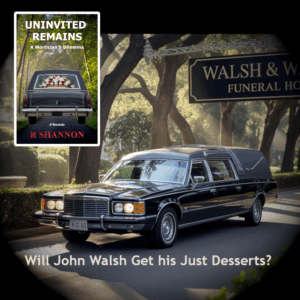
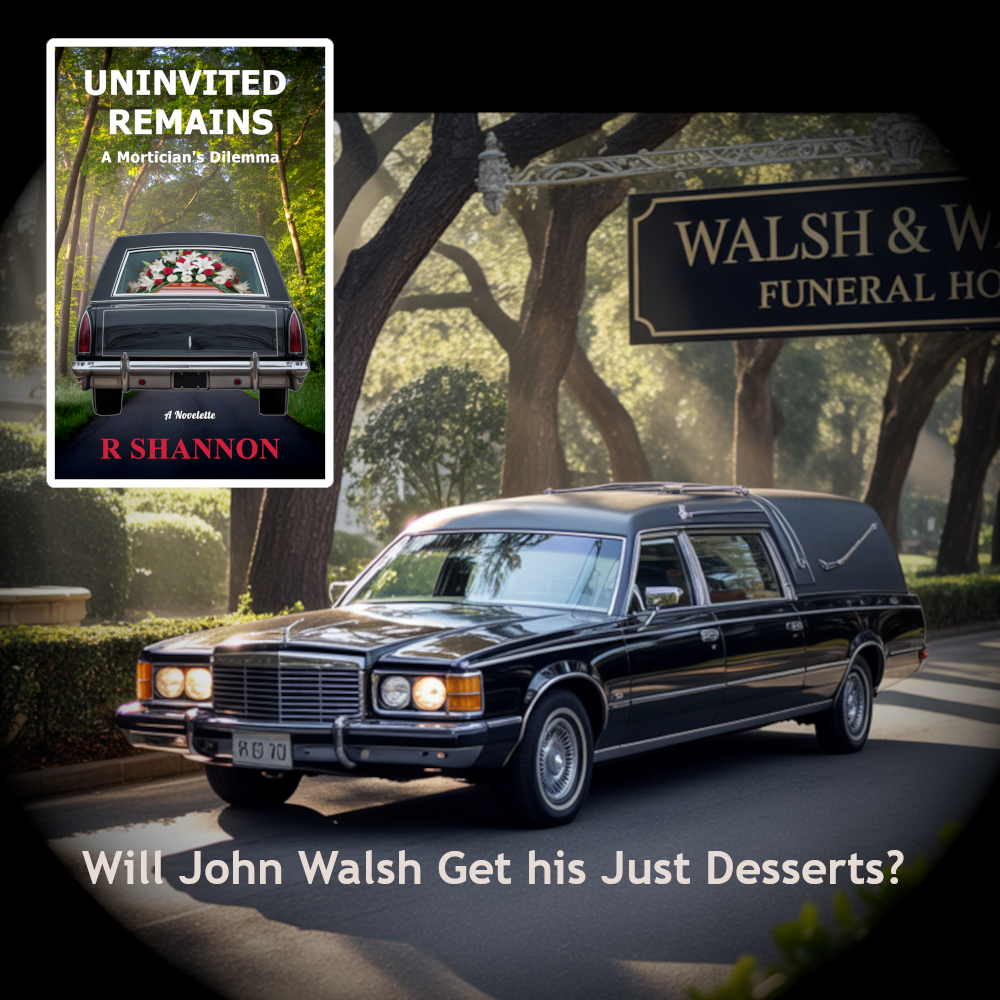
John Walsh is a successful funeral director with a loving family but he has a weakness for other women. The modern world thinks cheating is a victimless crime, but is it?

Click here to download a free copy for a limited time.

Read Book Samples

Click on the graphic of my books and you will be brought to a page on my website where you can read a sample of my books in your browser.  It's much easier than downloading samples from Amazon.

Check back often as I give away books all the time.

What’s Needed to Set Up a New Book Release

1.  GATHER THE COMPONENTS:

This is going to be a 1200-foot arial view of what's needed to set up a pre-order for the best results.
The Components:  It starts by having a high resolution ebook cover and a finished ebook manuscript.
I have many blog posts about how to create and/or order a high-resolution ebook cover on the blog and on my YouTube Channel so I won't go into any details about those.
I begin all novels and novelettes in Scrivener and then move to Word for the final proofreading as well as the final formatting before upload to Amazon KDP.

2.  PREORDER BOOK MARKETING:

At the very least you will need a social media post that is 1000 px by 1000 px for most social media websites and 1000px by 1500px for Pinterest.  These can be made in minutes in Gimp, a free alternative program to Photoshop, or Canva that is very popular.
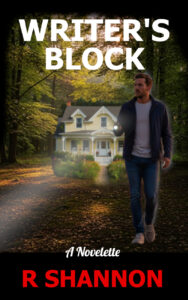
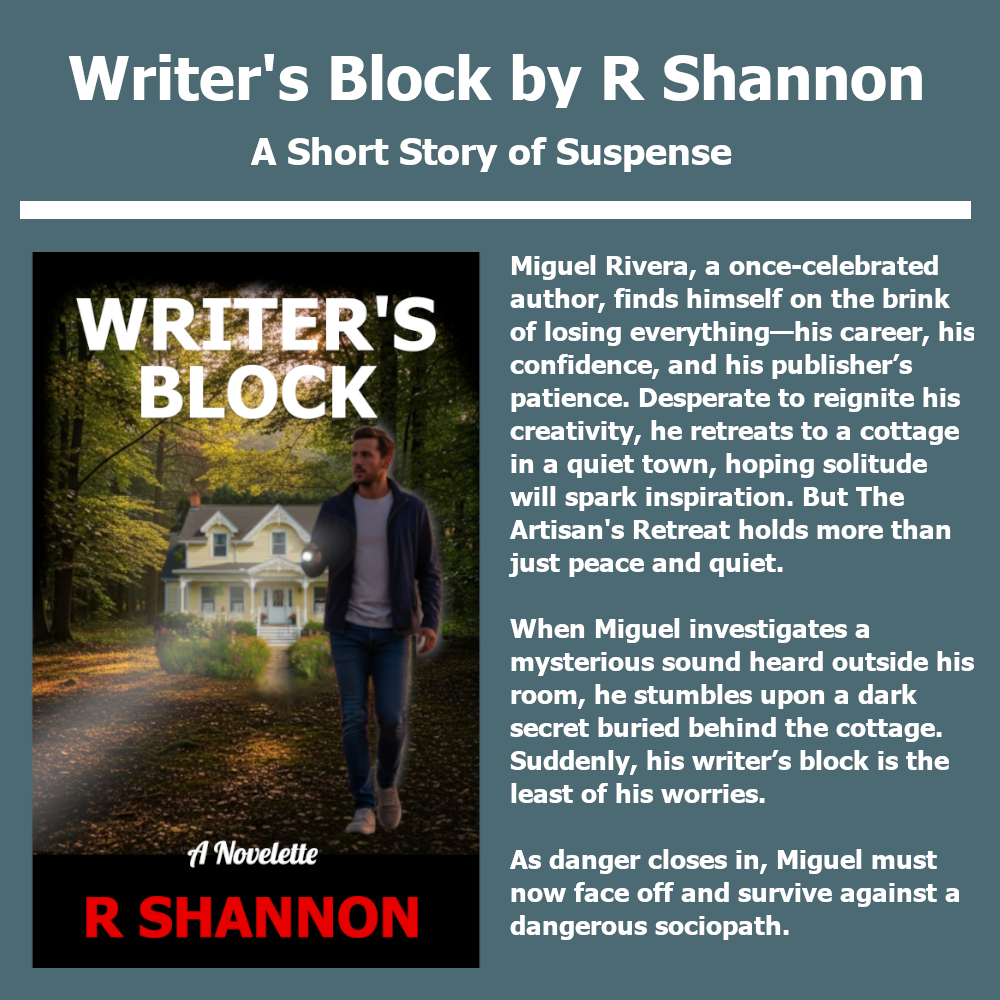
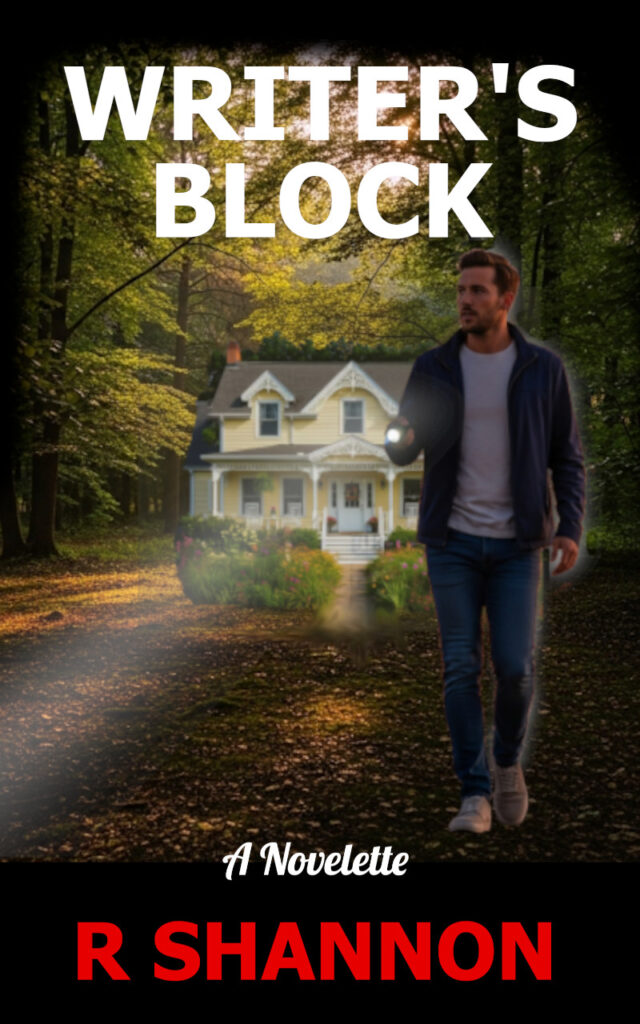
To the left or above is an example of one of my social media posts, which I call a description panel,  for my new novelette, Writer's Block, which I have just set up for a pre-order.

3.  DON'T FORGET PINTEREST:

I used to post the above social media graphic to Pinterest and just keep moving because who wants to make a separate graphic for just one additional social media site?
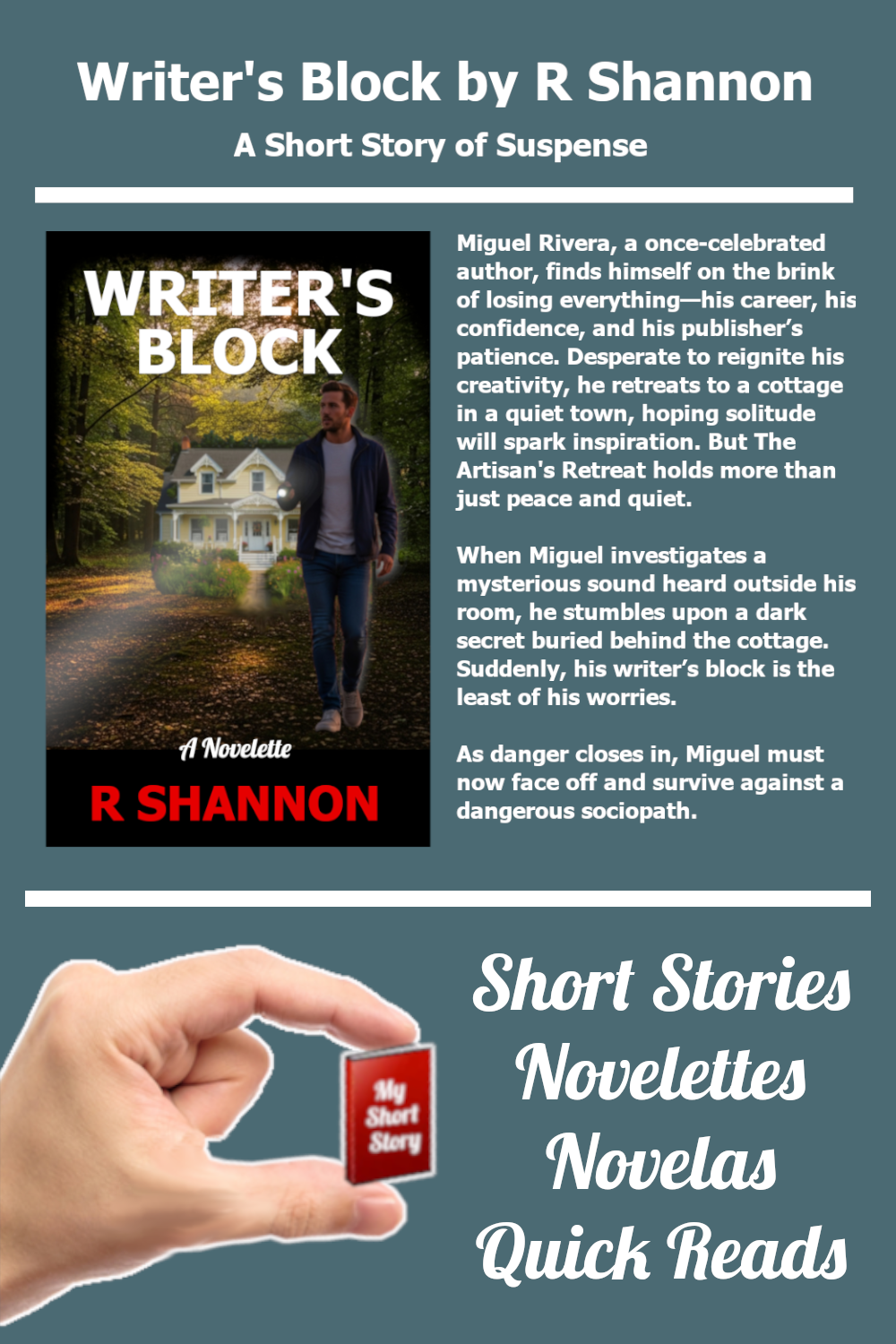
Once I realized that Pinterest sent a trove of traffic to my website, I started making a matching Pinterest post as shown here.  If you are new, you may or may not choose to do these.
Tip for newbies:  I create a few Pinterest Templates and then I copy and paste the upper panels into them.  This way, I can make the matching Pinterest graphic in about 3 minutes or less.  But it makes a huge difference.

4.  MAKE A QUESTIONNAIRE FOR THE EBOOK:

I like to add a questionnaire to the back of most of my ebooks, especially the ones I give away.  Not everyone fills them out, but the readers who do, I get enough raw and helpful feedback that I find so very valuable.

Above I have split my questionnaire into parts 1 and 2 to give you an idea of what type of questions I ask them.  This one is for a short story, so it is slightly less detailed than for my novels.

However, I keep it short and sweet.  No one has the time to spend 20 minutes answering too many questions.  I also make them yes and no questions or multiple choice.  This makes it easier for the readers.

If you want to see the questionnaire page in full, you can access this one here.

NOTE FOR AUTHORS WITHOUT A WEBSITE:

If you don't have a website, you can use a Google form or other online-hosted form to create a questionnaire.
I should also mention that with the rise of Substack, it's possible for any author to start a Substack blog and make it function very much like a website.  So no worries if you don't have a website.

5.  ADD A LINK TO THE QUESTIONNAIRE

Once you have a questionnaire finished, you need to add an invitation to fill it out with a link to the form into the back of the book.   I put it onto my Note to Reader page, but you can add it in the back of the book wherever you engage with your readership.  I have an example of the verbiage I use above, which I don't claim to be award-winning in any way, but it may be helpful to newbies.  When I was a newbie, I would look at how other authors handled things and that always gave me a starting point.
Click on the image to the left or above to open it to see the full verbiage used, if needed.

6.  UPLOAD TO KDP:

Everything that comes after this point will require an ASIN number and/or a ISBN number which you don't get until you actual upload the book.  I use the KDP-assigned numbers, so they are assigned to the book when uploaded.  If you use your own ISBN numbers, you may be able to do a few of the following procedures without uploading your book.
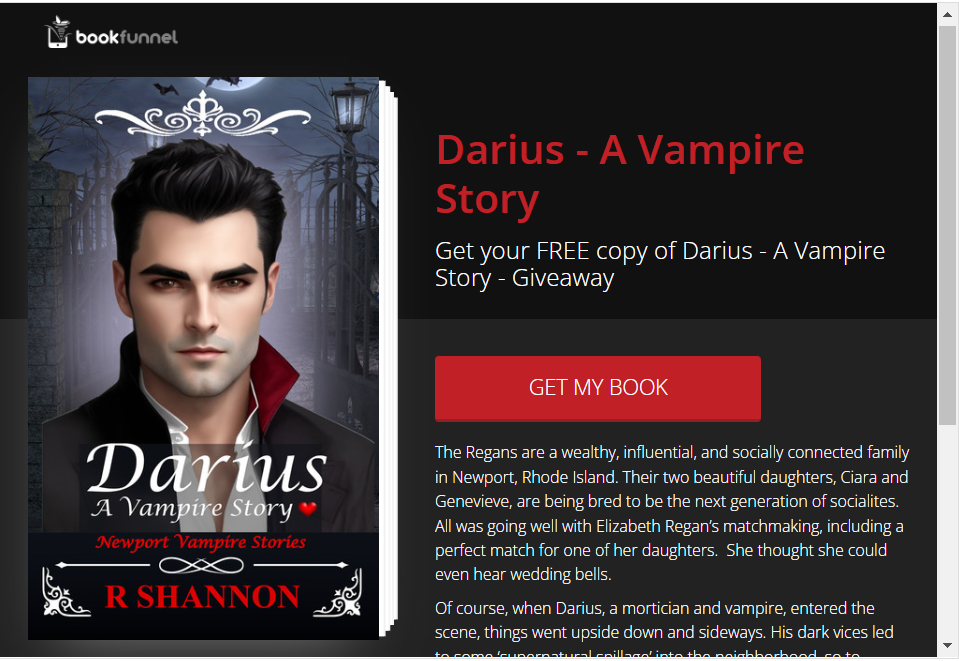
In my humble opinion, there's no downside to uploading your books as pre-orders.  Amazon notifies anyone who follows you as an author that they can pre-order the book.  It's like getting free advertisements from Amazon.  So why not?

7.  FORMAT & UPLOAD THE EBOOK AS A PAPERBACK:

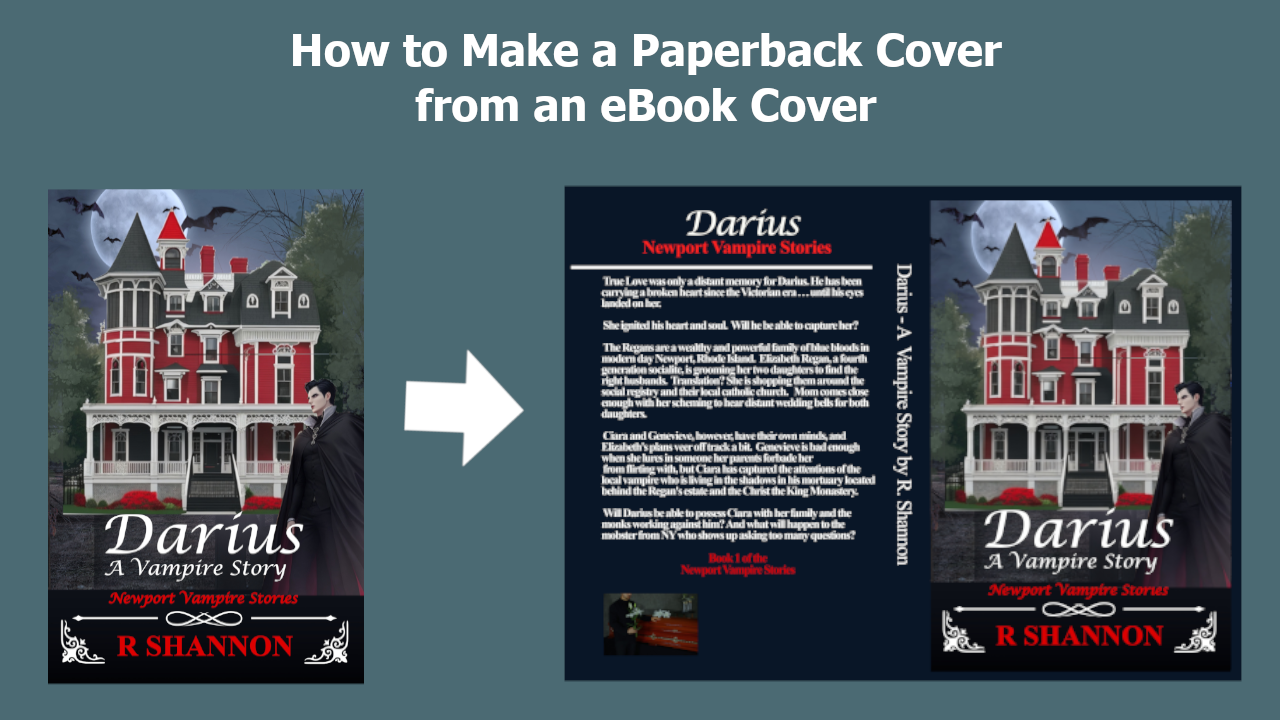
I make my own book covers because I publish on a limited budget.  All of the money I spend is in editing and ads for my books.  So this comes next in my process.  I have blog posts and videos on how to create a paperback book cover from a high-resolution book cover so I'm not going to go into any detail about how it's done, but this is the point in the process that I make my paperback cover.
NOTE FOR BEGINNERS:  You will need to know how many actual pages there are in your final novel manuscript in order to prepare the paperback book cover.  Don't waste too much time designing a full paperback cover without having a KDP book cover template that is based on how many pages are in the book.
Once the Paperback is finished, upload to Amazon KDP also as a preorder.

8.  PRE-RELEASE BOOK MARKETING - GIVEAWAYS

example of a bookfunnel giveaway pageGiving away your book for free is the most cost-effective method of advertising -- bar none.  I always give away my books and don't understand the argument new authors make for refusing to give away 'their work'.   In my opinion, everyone who reads and likes a free book will be ready to purchase a second, third, or fourth book by you.
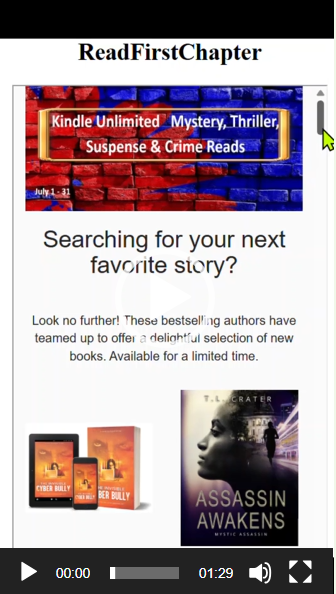
That being said, I use Bookfunnel & StoryOrigin to give away my ebooks.  This allows the book to be accessed by all of their customers, which is thousands and thousands -- again, free advertising.

I have posted above a screenshot of what the book looks like when it's offered to readers from Bookfunnel.  The giveaway at StoryOrigin is about the same.

8A.  HOW THE AMAZON PRE-ORDERS WORK AS A MARKETING STRATEGY:

  1.  Readers who follow you on Amazon will get a notice from Amazon that you are releasing a new book.  This is a form of free advertising.  You can even add a link on the Note to Reader page asking the reader to click on your author name and follow you to be notified of new releases.
  2. By adding your book to Amazon early, the book will get into the algorithms quicker than starting on the actual day of release.
  3. This is another special event that you can coordinate an entire marketing campaign around:  Release of the ebook cover, sign up for a free copy when it's ready, revealing the paperback cover, revealing the preorder, etc.

8B.   HOW THE PRE-ORDER MARKETING STRATEGY WORKS:

  1. The reader downloads the free ebook and reads it.  Hopefully, they will either fill out the questionnaire or send you an email giving you feedback.  This direct feedback from individual readers is like getting your own focus group for free.  It is well worth the price of a free ebook.
  2. Secondly, as the readers from Bookfunnel or Storyorigin download your free ebook, they are required to give their email.  These emails can be used to send newsletters or notices of new releases for you.  It's possible to get thousands of new reader emails over the lifetime of a free book.
  3. Thirdly, by having these pre-order emails from readers, it's possible to send around an email request when the book is published asking for a review to the book.  I cover how to add this link into the book in my longer blog posts linked within this article.
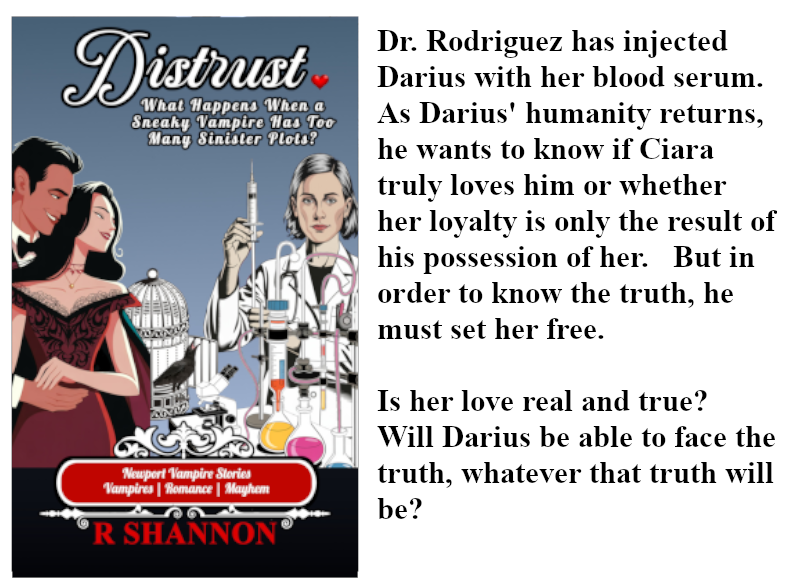
  4. Fourthly, enter the book into Pre-Order and/or New Releases Book Promotions on Bookfunnel.  I won't go into detail how this works because it is a function of what Book funnel does, but all the authors in the promotion share with their individual newsletters.  It's a win/win for all authors.  I'll post a sample book promo I made for you to get a sense of how this process can widen your readership.  The video is above.

To sum up here, you may be able to collect up to 100 emails, as a new author, or many more as a seasoned author during just this pre-release marketing period.  This is one of the best marketing strategies out there.

9.  FORMAL RELEASE OF THE BOOK:

Once the book has been released, you can then create another marketing campaign about the actual release of the book.  I have a few examples below for the newbies.

CONCLUSION:

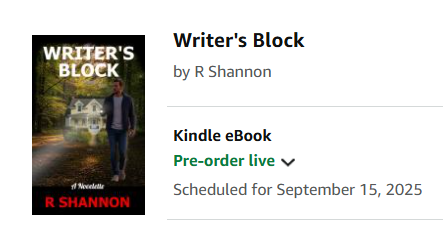
I wrote this blog post while planning and executing a pre-order on a new novelette entitled Writer's Block which is available for preorder starting on 08/12/25 and the book will be released on 09/15/25.  This will give me a month to market the book as a preorder.

Click on the book to be taken to Bookfunnel where you can download and read the book for free!

Don't forget to fill out my questionnaire and leave a review!

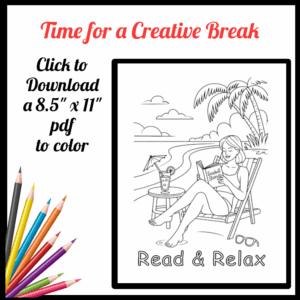
Coloring Page – Read & Relax on the Beach

Check out my new Brainstorming Workbook!

New Release - Free Download

John Walsh is a successful funeral director with a loving family but he has a weakness for other women. The modern world thinks cheating is a victimless crime, but is it?

Click here to download a free copy for a limited time.

Read Book Samples

Click on the graphic of my books and you will be brought to a page on my website where you can read a sample of my books in your browser.  It's much easier than downloading samples from Amazon.

Check back often as I give away books all the time.

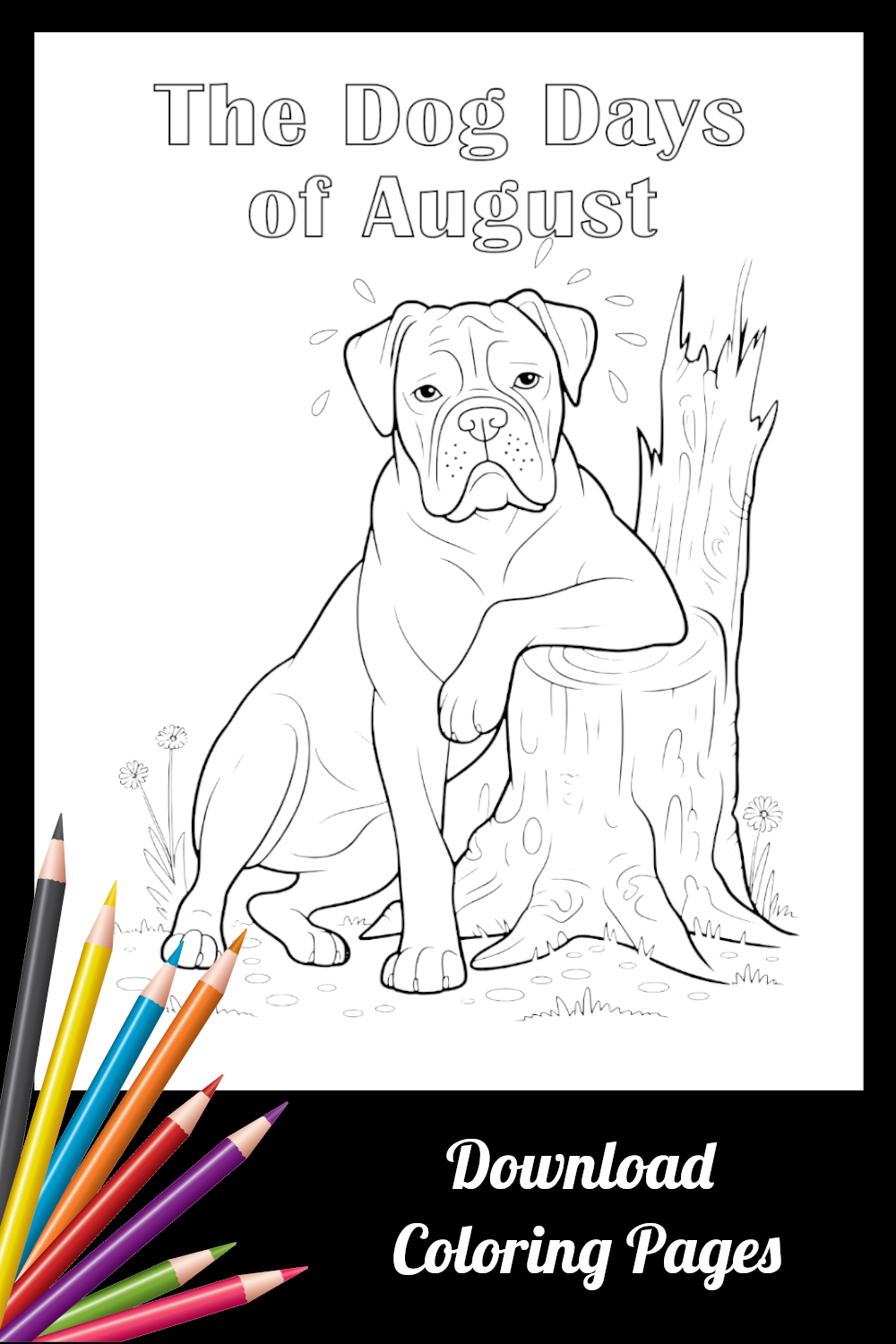
Coloring Page – Dog Days of Summer

Check out my new Brainstorming Workbook!

New Release - Free Download

John Walsh is a successful funeral director with a loving family but he has a weakness for other women. The modern world thinks cheating is a victimless crime, but is it?

Click here to download a free copy for a limited time.

Read Book Samples

Click on the graphic of my books and you will be brought to a page on my website where you can read a sample of my books in your browser.  It's much easier than downloading samples from Amazon.

Check back often as I give away books all the time.

3 Quick Steps to Add a Direct Review Link

How to Add a Direct Link to eBooks on Amazon

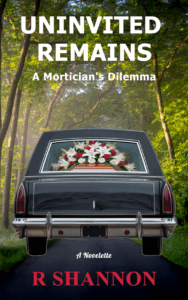
Uninvited-Remains-eBook-cover-3-webAs authors, we all know how hard it is to get readers to take a few minutes of their time to leave reviews.  I believe one part of the problem is that the Kindle app doesn't make leaving a review from the app from a tablet or phone easy.

Aside from that, I think people are just busy.  But there is a way to add a link to the end of your eBooks that can take the reader to the exact review page.

However, it is just a bit tricky because you need to have the ASIN number when you don't get until the book is actually published.

3 QUICK STEPS TO ADD REVIEW LINK:

  1.  Publish your book.
  2. Add the ASIN number to the end of this link (Replacing the Xs):
  3. https://www.amazon.com/review/create-review?&asin=XXXXXXXX
    No quotes.
  4. Reupload your final manuscript and check the link in the preview window.

That's it!  It's that easy.


EXAMPLE PAGE TO PUT THE LINK ON:

Below I have an example page where you can put the link and what verbiage you can use for it.  If you already have a thank you page for your readers, you can also add it there.

NOTE TO READER (Page Name)

Dear Reader:

This is my first short story/novelette.  I have not received any feedback from readers yet – except friends, who always tell me the books are great!  But I would love real reader feedback.  So if any of you would be good enough to fill out a short questionnaire, I can send you my next novelette (Working Title:  Writer’s Block) that will be released sometime in August for your trouble.  Here is a link to the questionnaire that is on my website.

This short story has only been out for a few weeks, so if you would be good enough to leave me an honest review at Amazon.com, I would be so grateful.  Here is a direct link to do that.

I love to hear any feedback about the book and enjoy interacting with my readers, so if you would prefer to just send an email, that will work too!

My email is mailto:rshannon@readfirstchapter.com?subject=Feedback about Uninvited Remains.

Thanks again!


Coloring Page – Books as an Adventure

Check out my new Brainstorming Workbook!

Check out my Book Series!

All my books have a thread of Catholicism running through them.

Ryan Mallardi Private Investigations
Jack Nolan Detective Series
Newport Vampire Stories Series

Best Tips on KDP Book Covers

WHAT NO ONE TELLS YOU:

TIP 1 – KEEP IT SIMPLE:  

When new writers think about a book cover, they tend to want to tell the whole story on the cover.  I still have this problem myself!  This often turns out to be a block to great design.  The main mission of a great cover is to tell the reader WHO the book is about, WHERE the story will take place, and WHAT the story is about.  Here are some examples:

  • Vampire – Modern Day New York City – Vampire hunters
  • Gaslighting – Mansion and/or Hospital setting – Psychological Mystery
  • Crime Mystery – 18th Century – Who Done it
  • Cold case murder – Modern Day investigation – Secrets revealed

The purpose of the cover is to lure in readers who already read in your genre or find something about your cover that triggers their interest and they decide to give your book a try.

(Video of best seller lists showing which books catch the eye)

TIP 2 – COVER SIZE MATTERS:

When a person holds your book in their hand, they will be able to see every detail on the cover.  If they look at the cover after reading your book, they may see many things that foreshadowed the story.  However, if there is too much going on on the book cover, when the size of the cover is reduced into the size millions of readers see the cover — during a scroll at Amazon.com — then all of that same foreshadowing and complex design is being seen at a size where not much besides the color scheme and the title — if you’re lucky — can be seen.

Show the different sizes that people will see your books in.   Point out how simple design is often more effective.

TIP 3 – THERE’S FANCY AND THEN THERE’S TOO FANCY:

The sci-fi and fantasy realm is an area where the covers can quite elaborate, very fancy, so to speak.  Elaborate embossed titles, with dark backgrounds, smoke of glowing light, a sole figure who is reduced in order to get all the fancy background in, etc.  In my humble opinion, there is such a thing as being too fancy.

It is possible to keep things simple even in the sci-fi and fantasy genres.  Famous authors sell books to an already-established readership, so they can have book covers that are barely readable.  They won’t sell one less book.  However, if you are new and self-published, you will be relying more heavily on appealing to the tastes of book scrollers.  eBook shoppers are not browsers who will see your book up close in a bookstore.  They are Amazon scrollers which is a completely different experience.

This is a genre that sometimes less is more.  Before you settle on a design, create the cover into the size that will be seen in the different scrolls on Amazon that I’ll demonstrate below.  Make sure you can read the cover title, author title, and that the genre is clear.  Those are the basics.

TIP 4 – NO DESIGN IDEAS?  HERE’S A REMEDY:

If you have no creative talent in the area of graphic design, here is a tip that will help you.  First and foremost, find the subgenre you will be choosing.  Below are examples of sub-genres and how far they are from the top genre selection.  This sub-genre is your reader pond.  This is where you initial readers will be swimming and scrolling.

Pull up the Best Seller pages in that subgenre and record the amazon link address to that very page.  Then go to fiverr.com and find the brand new cover designers, the ones who are really looking to establish themselves and they are willing to make a cover for $5 or $10.  Hire three of them and give them the link to the best seller list with a brief synopsis of what your book is about.  That’s all the information you should give them.

When they all deliver an eBook, this should give you at least a direction to go in.  This is usually enough to give even a non-creative person an area to go in.  Then once you are ready to have a real cover done, you can hire a book cover designer with more experience, either from a recommendation from a self-publishing group or by looking at all the portfolios at Fiverr.com.

TIP 5 – THE LAST AND MAYBE THE BIGGEST TIP:

Don’t use white as a background for your book.  It creates problems with Amazon.  First of all, Amazon wants you to put a border of a light gray onto your book cover which most beginners don’t think about until after their purchase.  But it gets washed out against the white background at Amazon.

If you need a whitish cover for some unknown reason, choose a different white color so at least there is a difference between Amazon and your cover.

Reading Chart – Download

Click to download a free copy


Check out my Book Series!

All my books have a thread of Catholicism running through them.

Ryan Mallardi Private Investigations
Jack Nolan Detective Series
Newport Vampire Stories Series