ONE: Turn Off Smart Quotes and Sentence Case Correction.
 Turn these Scrivener features off, especially if you plan to move your finished novel draft into Microsoft Word for final formatting. Because I self-publish and I need to upload in ePub and PDF manuscript, I use Word for a final proofread and formatting. I find Word is the best choice for me. The smart quotes do not translate well between Scrivener and Word. If you turn off the smart quotes, Scrivener will replace them with straight quotes and these translate better.
There is really no upside to using smart quotes in a novel. This is not a feature that will prevent you from leaving out a quote. It's really useless for an author, so its best to shut this feature off.
The sentence case correction will not allow you to add a lower case letter after a period. This doesn't seem like it would be a problem, but at least once during a first or follow-up draft there's a time when this auto correct starts wrestling with me when I'm trying to do something. So I shut it off now at the beginning.
If you search "auto correct" in the Scrivener help bar, you will be able to open up this feature and uncheck these two items. You'll thank me for it later.
Also, there is a whole layer of proofreading that I'll be making a blog post about in my Peek Behind the Novel series where I will show you how I use the find feature to check on every single quote mark. I've always had at least one or two that almost got away! So the smart quotes are nothing but a nuisance.
TWO: JUST KEEP WRITING - DON'T LOOK BACK:
 I'm writing my fourth novel in the Jack Nolan Detective Series. The book is still unnamed. This is Level 4 in my Eight Levels of Writing a Novel series. This first draft is down and dirty. It is the hardest lift of the entire project. At least for me, the first draft is the hardest. The characters all seem like stick figures. I find them unlikeable -- even if I liked them in the last book! Any humor doesn't seem to work. Everything just seems awkward. I have to literally force myself to keep typing. So this tip is to just keep writing. Don't check on any spellings or grammar. Don't even look back. Just keep going until you have the crime down, the main plotline down and the subplots at least in place. That will complete the first down-and-dirty draft. Every other layer will be easy compared to this one.
THREE: YOU CAN DO RESEARCH NOW ON THE FLY
 With bard.google.com, now it's possible to do research on the fly when writing fiction. Simply open a browser window, type in bard.google.com and start asking it questions.
Unlike ChatGPT, Bard is a Google AI product supposedly still in beta form, but it works like a charm. Unlike ChatGPT, it can research using the internet. ChatGPT is limited by time; the cutoff for ChatGPT the last time I checked was sometime in September of 2021 I believe. The cut off of what it can access is now way over a year ago. So I find that Bard is a better option for book research so you can get the latest.
FOUR: USE THE SCRIVENER HIGHLIGHTER AS A REMINDER:
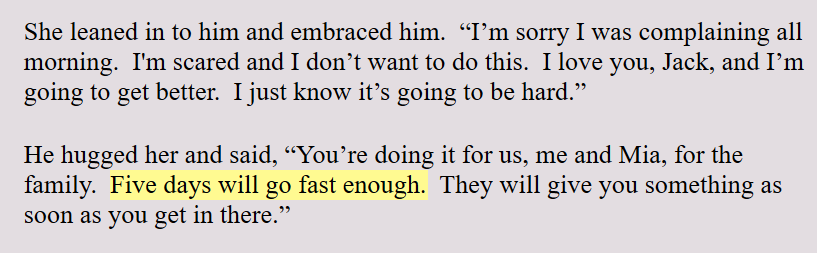 Scrivener allows you to highlight text in any color you want. I use this highlighter in the Level 4 Draft to make a mental note to myself to check on things. For example: If I say that someone is coming home from a hospital in four days, I highlight this. This makes sure that this lines up with the plotline, or the crime line, or the subplot lines.
As an author, I will often tweak the script, especially as I'm writing. It's too easy to forget this early reference to five days. By highlighting it, it's a reminder that this timing needs to line up with something later on in the story. I find this highlighter a great author tool.
FIVE: LEAVE THE POV | TIME | LOCATION HEADERS IN THE DRAFT:
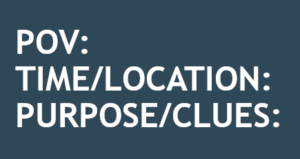 Like I mentioned earlier, I'm in the first draft of my novel and each scene begins with the same Scene Template as seen to the left.
I leave the POV, which stands for Point of View at the top of each scene during the first draft. I don't choose the POV before I write the scene. I write the scene and see which character claims the scene. Then I assign that one character to the scene.
POINT OF VIEW: By keeping the POV at the top of the scene, it's a reminder to me to make sure the entire scene is in this one point of view. I admit that I allow myself one small head jump at the end of a scene. I'm a self-published author, so I can indulge myself and get away with this. I believe a reader can handle one head jump at the end of a scene for the purpose of informing them of what the other character thinks at one time. I don't believe one head jump creates that big of a problem.
TIME AND LOCATION: By leaving the Time and Location information at the top of each scene, it is a reminder to make sure I describe the scene and whoever else may need a description in that scene. In Layer 5 of my writing system, I go through all the scenes and add descriptions of the locations and people. So this information makes that level of writing easier.
SIX: KEEPING TRACK OF MULTIPLE TIMELINES:
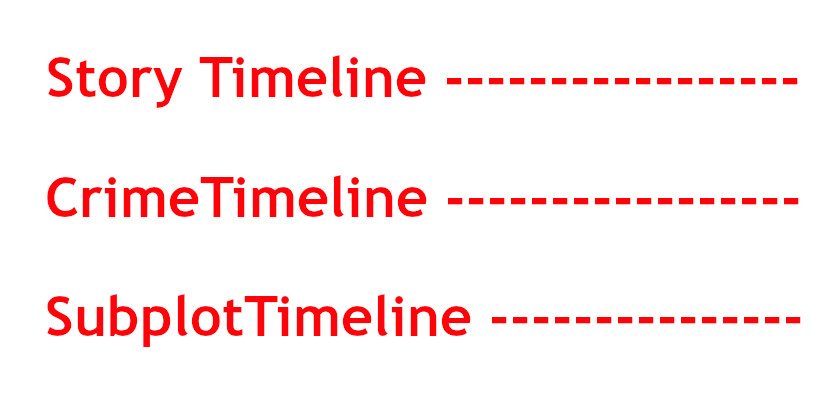
I write Christian mystery romance, private investigator mysteries and police procedurals. By leaving the timings in the header to each scene, it allows me to keep track of the story timeline. I am always keeping track of multiple timelines in each novel. I have the crime timeline. Then there is the timeline of the investigation and the dropping of the clues. And the subplots also have a timeline as each book has at least a small character arc. This is because I write in series and the characters have one small character arc in each novel.
So that's a minimum of three timelines that I need to track. So keeping these timelines at the top of the scenes as I go from layer to layer of writing, it makes it easier to make sure things are lining up on each timeline.
I keep these headers inside the manuscript draft until I'm ready to put the book into chapters.
SEVEN: ADDING ADDITIONAL SCENES WHEN WRITING THE FIRST DRAFT:
There comes a time or two when I will decide to add a short scene or two. It may just be to have a change in the point of view or to get the characters to a different location. Whatever, it is, I use three asterisks between these two separate scenes. I also start the second scene with my normal Scene Template.
This allows me to know this is a separate scene and it will have a point of view. It also alerts me that I will need to insert a scene ending which I won't do until I bring the manuscript into Microsoft Word.
EIGHT: USE SCRIVENER SYNOPSIS SECTION TO KEEP TRACK OF CLUES DROPPED:
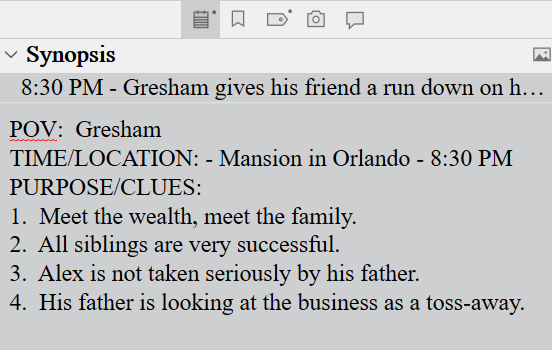 When writing the first draft, I use the Scrivener Synopsis section in the Inspector Pane to list the clues I have dropped in that scene. Once I've finished the first draft, I can open the project in Outline View and this will give me a bird's eye view and chronology of the clues that have been dropped.
Personally, I often also add background information that I dropped in the scene. I do this only because I have a tendency to forget whether I dropped that background information in the present novel or if my memory of dropping it is from the last novel I wrote!
This alone is a major reason why I love writing drafts in Scrivener.
CONCLUSION:
So these are the tips I would pass on about writing this first draft of a novel. Knowing that it's the hardest allows me to know that once I make it through this first draft, all subsequent layers of writing will be easy peasy compared to this one.
All I need to do is to blurt out the entire story in the first draft. All corrections, additions, deletes and polish will come in later layers.
 If your research requires a public figure or an organization, start at Wikipedia and take advantage of research already done. It will all have to be verified, but you will at least start off with some basics.
 Go to Google and type in Philadelphia Courts or New York courts, etc.
 It's important to know that there are at least four levels of record keeping in the USA. There is Federal, State, County, and then City or Municipal or Local. This will help when you are drilling down. It's best to drill down one layer at a time.

 Another technique to researching over a period of time is to create a 'google alert' for a certain topic. Once you do, Google will send you a notice at hte end of each day with whatever articles are published or pop up in their search engines. This is a great way to find trendy subjects too.
 Open access papers = www.oa.mg
 Using an incognito window, go to YouTube and research your
 Click on several videos and watch for one minute and click off. This will teach the algorithm what you are interested in.
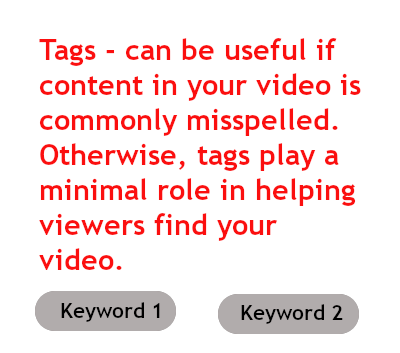
 The answer to that question depends upon your goals as an author.
 If, however, you are a serious author working towards a career or life-long profession, then you will want a website. You may not need one with the first book, but you will be anxious to build your brand right away.
 Although I have already said that you can write book series and operate with an Amazon author page, there will come a time when you want to brand yourself and your series. This will also help you build an online presence. It's all about competition. The more ways you use to run into readers online, the better it us for you and your books.
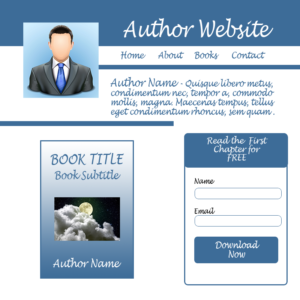 If you want to connect with readers, or start building a readership, you will then want and need a website. When I say connect with readers, there are a few ways to connect with readers.
 For whatever it may be worth to you, I would recommend that you consider a website by the time you have written a third book, whether it is in a series or not. Once a reader has read more than one book, they will get curious about you. They will want to see a picture of you and maybe learn a few personal things about your life. Having a website, you can share a little bit of personal information.
 If you will be self-publishing and are on a shoe string budget, then you will need a website, but you may be able to operate without one for the first year or eighteen months.
 Step One: Find an affordable hosting company. You only need a basic plan. I use bluehost.com, but be sure to watch my video that I'll post here about how not to get into the trap of buying all kinds of services you don't need.
 Do you want to be a published author and work with a leading publisher? Or do you want the freedom of self-publishing? Either way, you will need to learn to do at least some book marketing.
 Don't worry if you are camera shy or introverted. The type of book marketing I'm suggesting here is for introverts. People who have these big boisterous personalities don't need anyone to help them gain a readership. Social media was designed for the extroverts -- even the narcissists!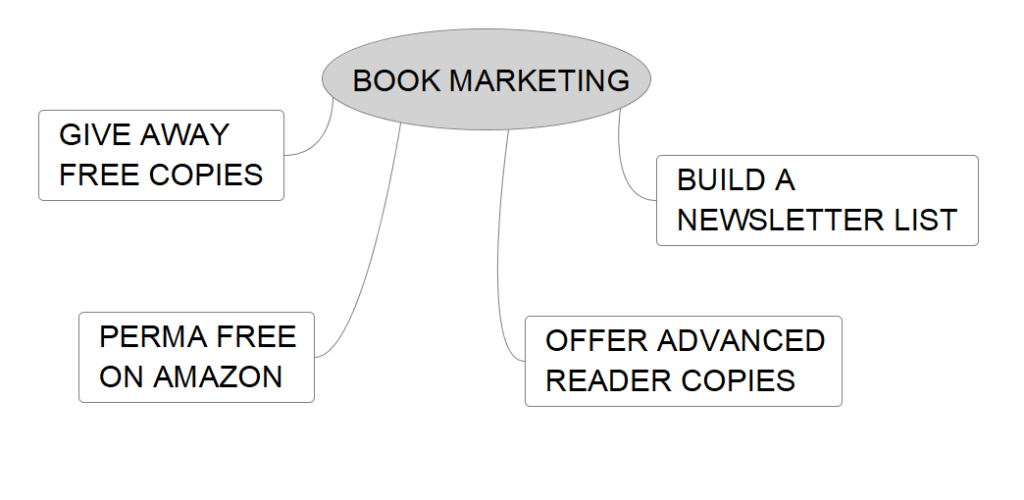
 It's important to be clear that when building an email list, that email list is your readership following. You may have free book searches who get on your list, and they may unsubscribe after a month or two. But the readers who like your books and look forward to hearing from you will remain loyal to you. You are cultivating a following. You need to see marketing as a slow and steady way to build this readership and maintain a monthly or bi-monthly contact with them.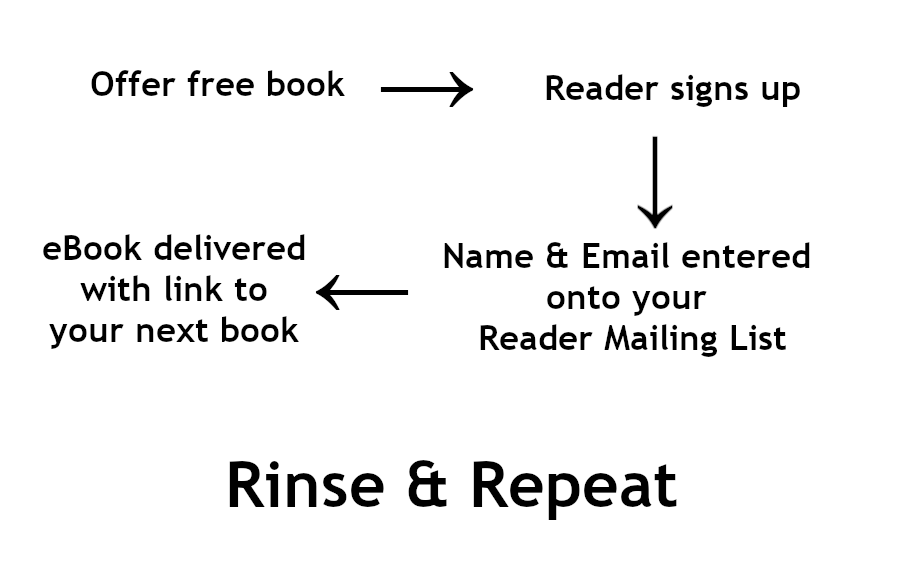



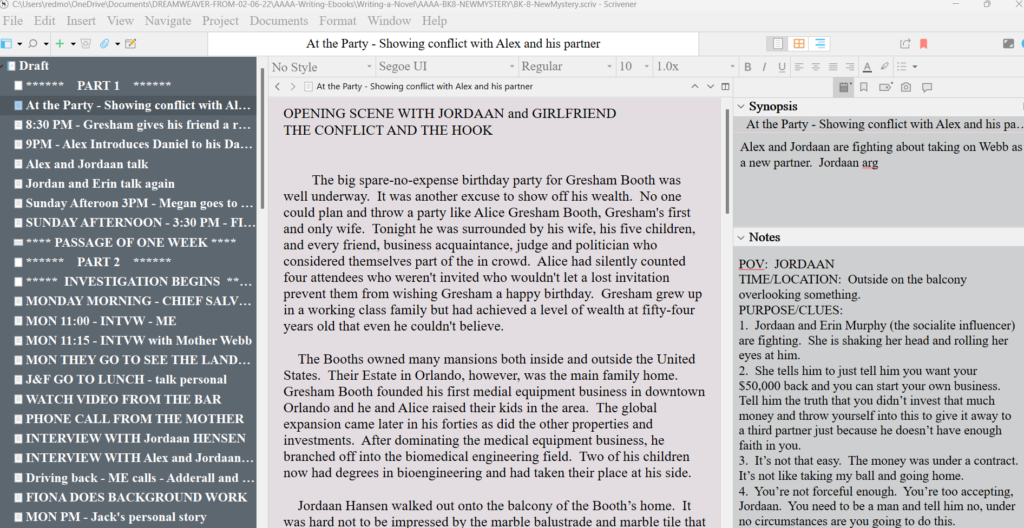 I am knee-deep in Level 4 of writing the next book in the Jack Nolan Detective Series. I thought this would be a good time for me to take a break and reflect on what happens when I'm 'in the weeds' writing a novel.
 When you first sit down to write a novel, everyone is filled with enthusiasm and creative energy. It's exciting. It's new. But as the manuscript begins to grow, before it feels finished -- or even ready to be polished, it feels cumbersome, heavy, and overwhelming. At least for me it does.
 It's possible to get paralyzed by a fear of failure at any point during the writing of a novel. It's not a one-and-done operation. No one sits down, starts writing, finishes writing and ta-da, there's a book. Writing a novel doesn't work that way. It's a long process. It's a multi-layer process.
 Writers block is another common problem among authors. This often sets in after that initial period of excitement about the novel wears off. At some point the writing of the novel shifts into a project requiring some heavy lifting. There's always a phase or two where the author has to tough it out. We have to keep at it.
 Will my readers like the book? Will the book be good enough to get a literary agent? What happens if my book gets bad reviews? There are any number of fears of rejection that can cause us to stop writing. Decide ahead of time you won't allow these fears to stop you. Like I said earlier, think of your writing as a mission God has given you. This is your life's work, along with your other worldly responsibilities. Your writing could be an opportunity to pass on things you have come to learn in your life. That's a purpose. Or maybe writing is a way for you to share the gift of storytelling that you know you were born with. That's a God-given purpose. Whatever the reason, it's important to not allow fear of rejection to get in the way.
 Distractions are one of the biggest obstacles to completing a novel. One reason is because life does serve up constant small and big emergencies that have to take first priorities in our lives. So an emergency distraction can throw a whole well-planned writing schedule up into the air in a heartbeat.
 Most novels require at least some research. The internet can be a blessing with research but it can also be a curse. It's a blessing because the days of having to travel to a public library are over. It can be a curse because the research can suck you in and you can use up all your valuable writing time doing too much research.
 Another trap to finishing a novel is to get caught up in a never-ending edit of the book. This usually hooks in with perfectionism problem in some way.
 Once you complete a novel, there is a little sadness that sets in. This book is no longer your baby. It's no longer your little pet project. Once you hand it off to an editor, it becomes a shared work, so to speak.
 When writing your book, especially if you are writing in a management system like Scrivener, it's easy enough to keep track of your manuscript.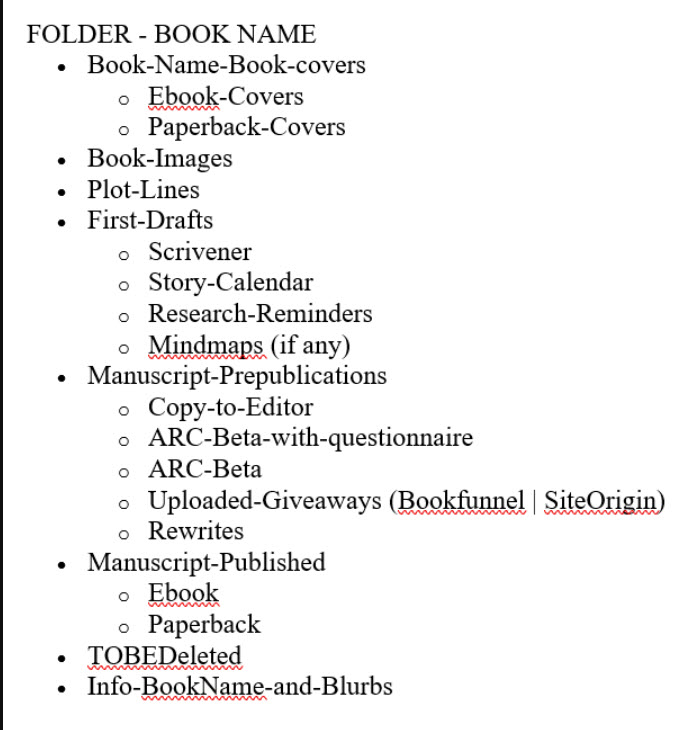



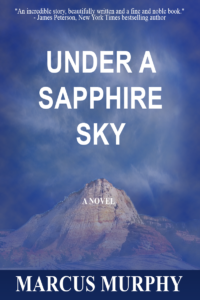 At some point your manuscript will get closer to publication. At that time, you will need to start thinking about dressing it up for publication. The book cover. You can find any number of places, including KDP itself where you can create your own cover for free. Not recommended, but it's possible.

 With
With  Now another paid but affordable route to making your own book cover is to work alongside someone at Fiverr.com. There are lots of people who will create a nice book cover for $25 or $50. This may be worth it for some of you who are busy and don't have the time to learn Gimp. It always comes down to money vs. time.
 Join
Join  If you can, reduce what you need to have done down to a single task. For example: If you ask them to create an entire book cover, they will own and control the entire design. You will have no idea what they did to create it, how many components they used, what font they chose, etc. If you want to tweak it down the road, it's impossible to do on your own.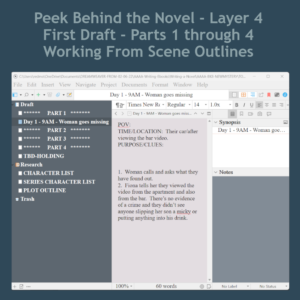


 Write forward only. Don't look back.
 Gimp is a free graphics program and it's fairly easy to use. But a lot of the program is not self-explanatory. So you can get lost really easily. A graphics designer needs to know how the entire program works. For authors, writers and other self-publishers, you only need to know a few of the tools to do pretty much everything you need to do.
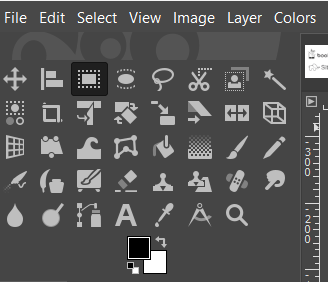 The graphic to the left is a closeup of the tools panel. Each tool is represented by an icon. Below the tools is a graphic representation of your foreground color (the color on top) and the background color (the color in the back).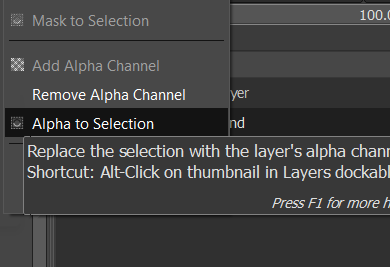
 However, if you just open the document and try to add something that needs a transparency, it will cause a lot of frustration because the transparency won't work. If you do this, open with a white or black background, then go over to the layers panel, right click on the layer and select "add alpha channel". When you do this, nothing will happen, no noise is heard. It feels like nothing happened. But it did.